How to install Process Feedback for Google Docs extension? A step-by-step tutorial
Installing the extension is easy.
Our extension works just like other tools available in the Chrome Web Store (or other browser stores). Here’s how to get started:
Step 1: Install the Extension
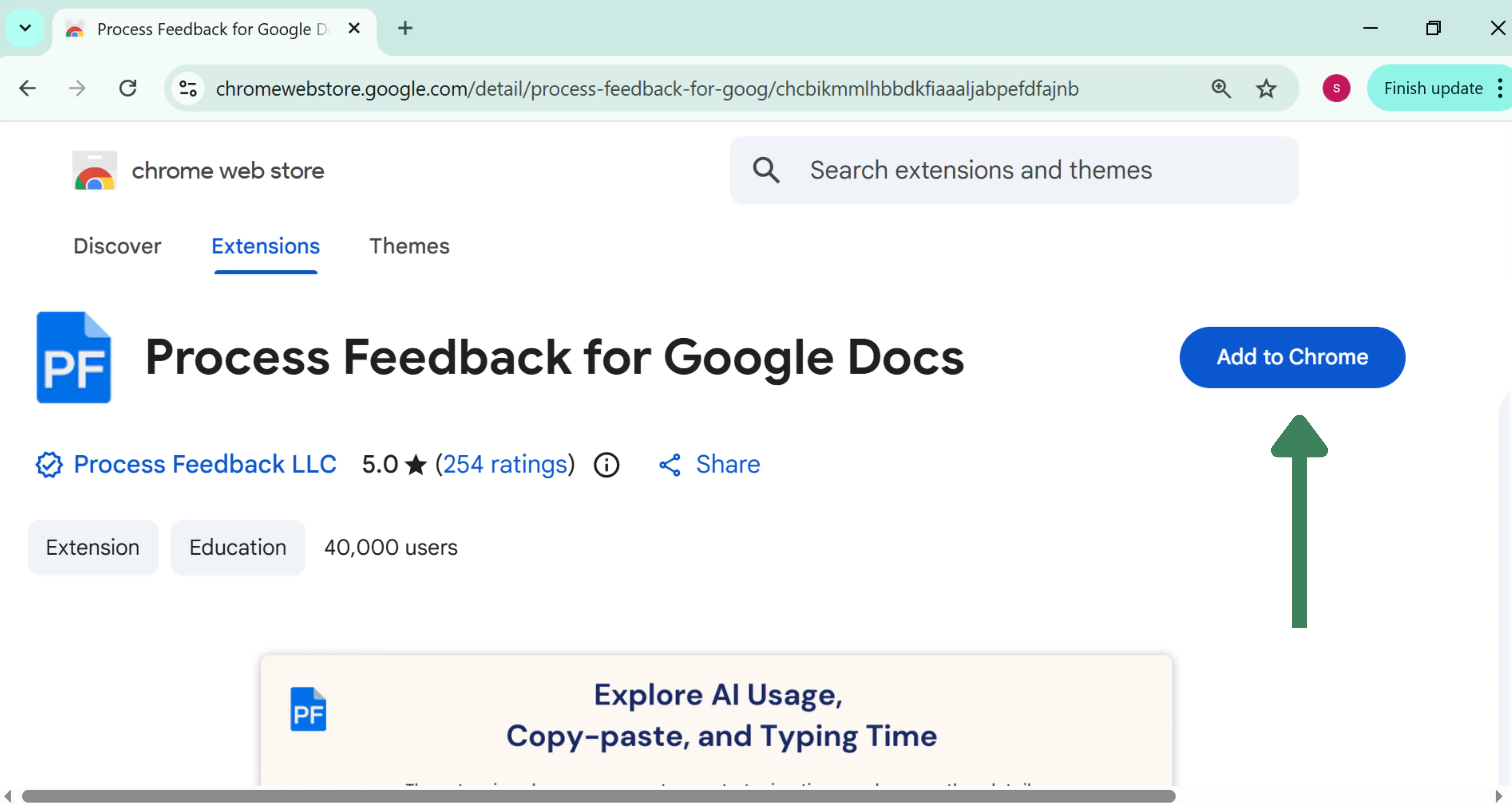
Find our Google Docs extension in the Chrome Web Store (or Firefox Addons, or Edge) and click “Add to Chrome” to install it.
Step 2: Reopen Your Google Docs
Return to your Google Docs tab and refresh the page to activate the extension.
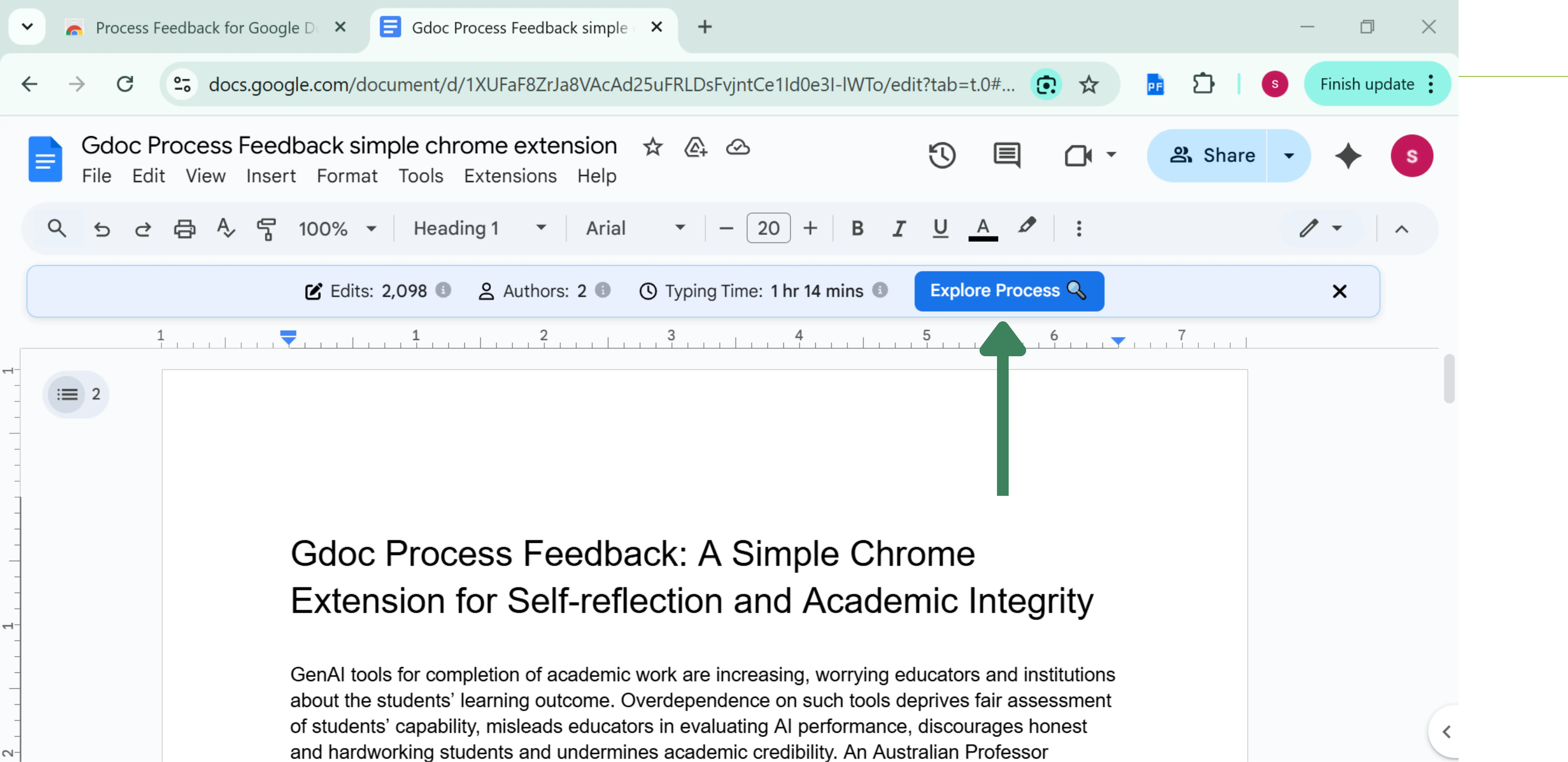
Step 3: Click on “Explore Process”
You’ll see a new banner. Click on the “Explore Process” to get started.