Release Updates
What is coming next, and what has already been released
Optional login to sync work across devices
Process Feedback's online writing space works without accounts today, and that is not changing — students can keep writing with nothing to sign up for. What is coming is an optional login: students who choose to sign in will see all of their work load automatically in one place, and pick up on a laptop exactly where they left off on a lab machine or a tablet. Students who never sign in keep working exactly as they do now.
Image uploads in the writing editor
Currently, students writing in the Process Feedback writing space can add an image only by pointing to one that already lives somewhere else — a web link or a Google Drive link. The new option lets writers upload an image file directly from their computer, so a diagram, photo, chart, or screenshot no longer has to be hosted first.
Teacher comments on student work
Teachers will be able to select text in a student's work and attach a comment to it. Editing the student's work is deliberately not part of this: the writing stays the student's, and the teacher's response sits alongside it.
Drafting time vs. revision time
Total active writing time tells you how long a student worked, but not what they were doing with that time. The report will split the time spent into drafting time (the stretches where new text is being produced) and revision time (the stretches where existing text is being reread, reworked, cut, or rearranged).
Teacher dashboard, directly from Google Drive
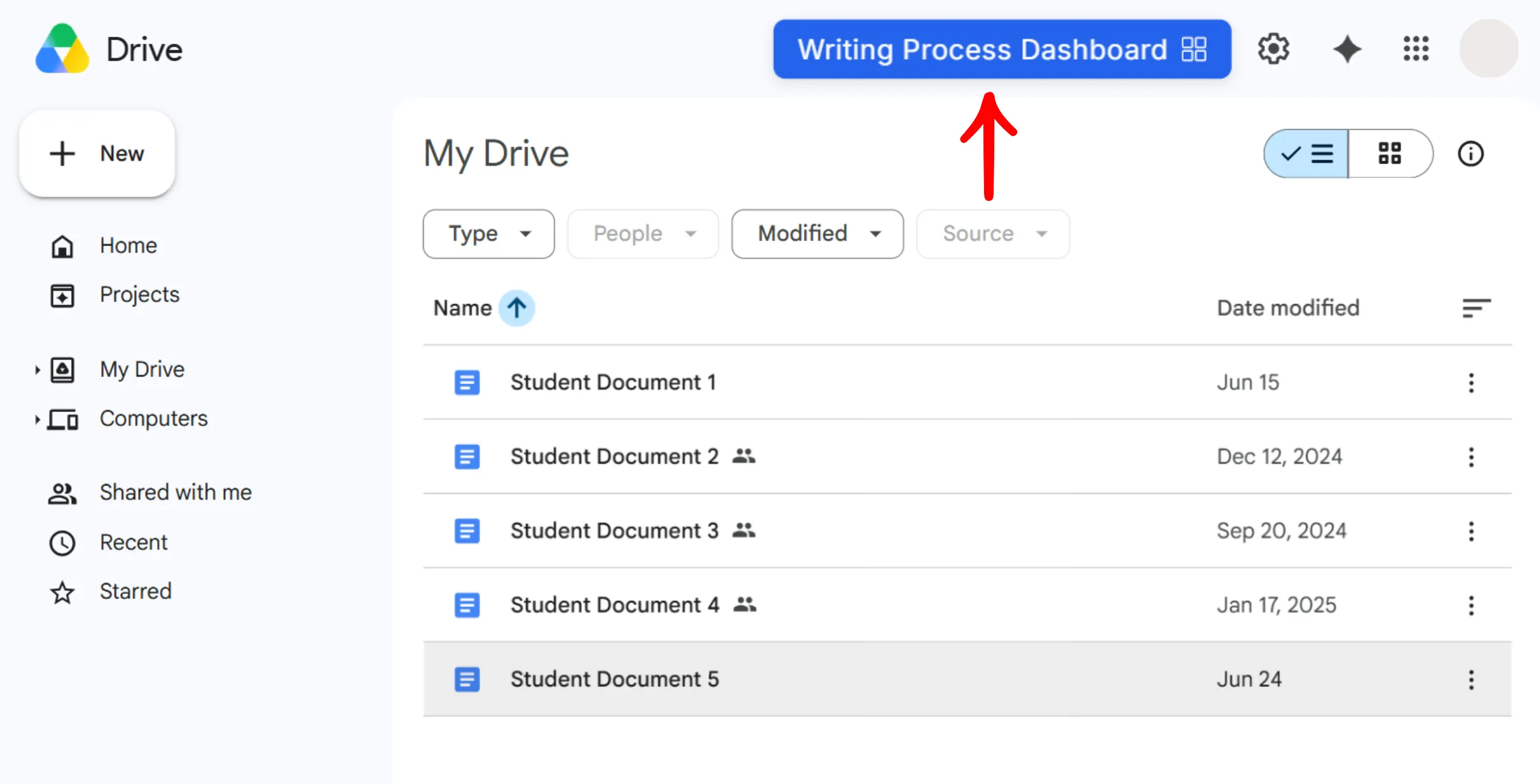
Teachers can now open a writing process dashboard directly from Google Drive. When a Drive folder contains Google Docs, Process Feedback places a Writing Process Dashboard button at the top of the folder. One click opens the writing process reports for every Doc in the folder, so teachers no longer need to download each student's report first.
Here are some highlights:
-
Places a button in Google Drive -
Loads up to a few hundred documents at once -
Works 100% locally, similar to the 'Writing Process Report' option
Footnotes in the writing editor
Students writing in the Process Feedback writing space can now add footnotes from the toolbar. The notes are listed at the end of the document and renumber automatically as the text changes.
Moodle plugin listed in the Moodle marketplace
The Process Feedback Moodle plugin is now listed in the Moodle marketplace. Moodle administrators can find and install it from there, the same way as other Moodle plugins.
Timeline view of paste activities
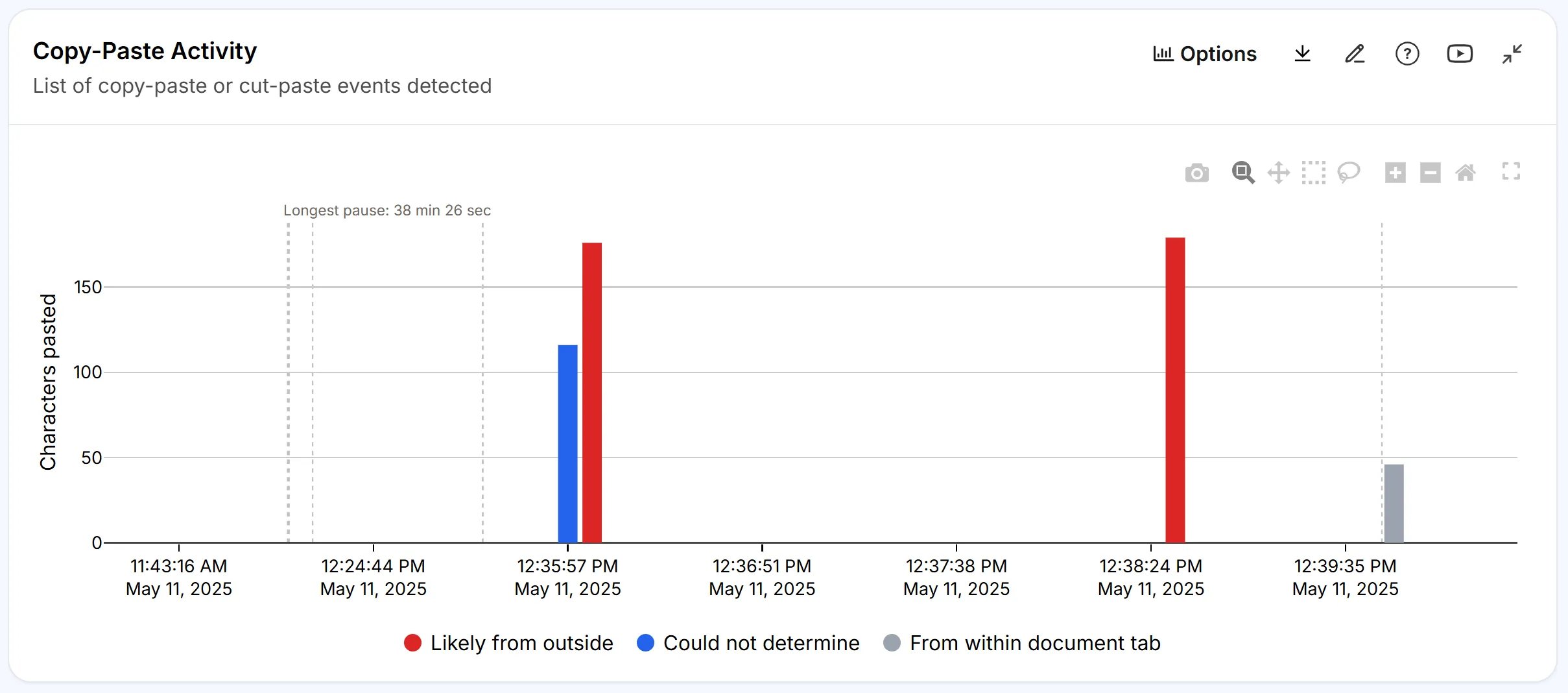
The paste events section of the report used to show only a table of paste activities. It now also includes a timeline view, a more intuitive way to visualize and analyze those activities over time. Clicking a paste event in the timeline scrolls to the Compare Two Moments section to view the details.
Moodle plugin
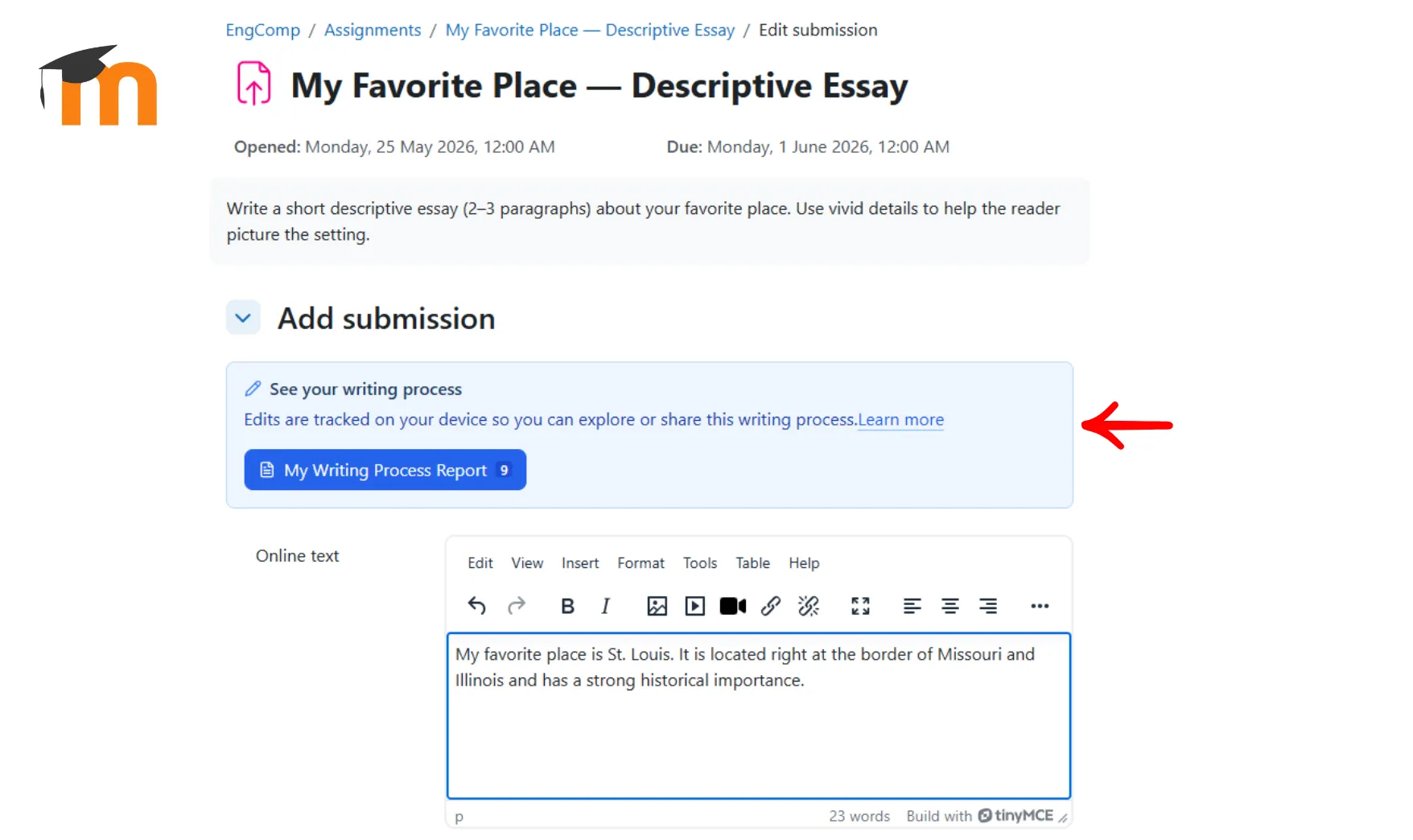
An admin-installed plugin that brings writing process reports into Moodle assignments and discussion forums. No browser extensions, no student accounts.
Once a Moodle administrator installs the plugin, a "See your writing process" panel appears automatically inside every assignment submission page and discussion forum.
See the Moodle plugin page for how it works and what it stores.

Want something on this list?
Post it on our feature request board, or vote on ideas other teachers have already suggested. What gets the most votes shapes what we build next.