What is Process Feedback for Google Docs extension?
Process Feedback for Google Docs is a browser extension that students or teachers can install as an add-on for Google Docs or Google Classroom. The extension downloads the edit history of a Google Docs document from Google and turns the edit history data into a writing process report.
What it enables:
-
Student-led reflection on writing habits -
Data-driven discussions about drafting and revision -
Constructive conversations around AI-assisted writing
Features loved by teachers and students
Runs fully locally by default
The extension operates entirely in the student's browser unless the student chooses to save or share their report.
-
No student accounts required -
No third-party analytics -
No server-side data collection by default -
Students control when and what they share

Generates a writing process report
At any point while writing, students can generate a Writing Process Report that summarizes how their work developed over time.
-
Visualizations of writing and revision activity -
Downloadable PDF for sharing or reflection -
Designed for explaining and communicating about the working process

Author contributions and collaborations
Process Feedback provides visibility into how multiple authors contribute to a shared document, making collaborative writing transparent and reflectable.
-
Shows how each person's effort shaped the final piece. -
Breakdown of character and word counts per contributor -
Identify "hidden" contributions like significant restructuring or heavy editing -
Enables group reflection

Process Feedback is better than other extensions
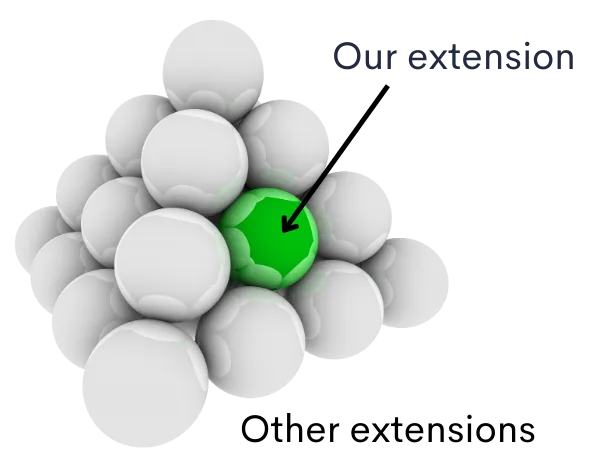
Other extensions — such as Draftback, Revision History and Originality.ai — also let users explore the writing process in Google Docs. However, these extensions primarily focus on basic writing replay. Process Feedback is a free and better alternative to tools like Draftback, Revision History, or Grammarly Authorship. It is research-backed and has more features.
-
Draftback, Revision History, and most others charge a subscription fee and may require users to create a separate account -
Compared to Process Feedback, Draftback and Revision History offer limited features -
Process Feedback is grounded in peer-reviewed research -
Process Feedback does not automatically collect any data by default -
Process Feedback also offers a teacher dashboard
Enables students to reflect on writing or AI use
Write in Google Docs
Students can write in Google Docs as they normally would—no need to focus on their writing process at the moment. They can also choose an existing document they’ve written in the past.
Explore the writing process
By clicking the “Explore Process” button in the extension, students can explore their writing or AI use.
Reflect on the process
Students can reflect systematically on their writing process or AI usage. Check out our sample Reflection Assignments to help guide student reflection.
Resources for teachers and students
Please read our Teacher Guides and Student Guides to explore the full list of all guides and tutorials for teachers and students.
Here are some of the most popular teacher guides:
-
How to use AI to offer students feedback on their process Read Article -
Student data security when using Process Feedback's extensions Read Article -
I have a large class. How can I use Process Feedback? Read Article -
How to identify AI usage in student writing process? Read Article
Similarly, here are some of the most popular student guides:
-
Student submission guide Read Article -
How to reflect on AI usage? Read Article -
How to install the Process Feedback for Google Docs extension? Read Article -
How to provide edit access to a Google Docs document? Read Article
Data privacy: No automatic data collection, by default
By default, when a user clicks the Explore Process button in the extension, neither the extension nor our application collects any data from the user.
Here's what you should know:
-
The extension does not automatically collect any user data, by default. -
Data is collected only when the user clicks on the "Share this report" button in the sidebar, after opening the report. In this case, we do collect data to generate a shareable link for the writing process report. -
Users can permanently delete your report and all related data from our servers at any time, instantly. -
By default, Process Feedback allows users to share their writing process report using the "Share this Report" feature. If your institution wants us to disable this feature for your domain users, please let us know and we will be happy to do so.
Is it a surviellence tool?
Process Feedback is designed with this concern in mind. For example, a graduate student may notice that much of their writing happened late at night and reflect on whether that affected their focus, revision quality, or stress levels. This kind of insight may be intended for the student's own reflection, not for evaluation or judgment.
Teachers do NOT need to:
-
Ask students to share their writing process -
Review timestamps or detailed activity logs
Instead, teachers can:
-
Encourage students to privately review their own reports -
Assign reflection prompts -
Collect reflections rather than raw process data
Institutional access
The extension is free for individual teachers and students. For institutional access, please contact us.
With institutional access, we offer:
-
Data Privacy Agreements (DPAs or DSAs) with schools, colleges, and universities -
VPAT and HECVAT compliance documents -
Support and uptime guarantees, and more
Frequently Asked Questions

See It In Action
Before you get started, take a look at a sample student writing process report. You can also check out our Teacher Guide to see how easy it is to use Process Feedback in your classroom—just a few simple steps!